The Radxa Q6A was Radxa’s first Qualcomm-based SBC release last year, and even though we’re still deep in the midst of RAMageddon, Radxa are announcing the Dragon Q8B today, the very same day you’re reading this. Even I don’t know how I’ve managed that in 2026.
At its core, a Qualcomm Snapdragon 8cx Gen 3 SoC running at 3GHz provides the horsepower, and provide it does. Well, in a sense. If you’re wondering whether this is the same chip that we saw in laptops a couple of years ago, wonder no more, it’s the same one, and oh boy, it’s a ride.
Want the TL;DR? It brute forces its way to the top of the comparison list in this review, leaving the Raspberry Pi 5 in its dust, and also takes the top spot (for now) over on sbc.compare for a large number of tests, so I think Radxa might be on to something? Has this blossoming partnership finally produced an SBC without compromise?!
If you want a bit more than a TL;DR though, buckle up, I’m bringing the waffley ranty first look of yesteryear back, and on the bench we have the 32GB RAM model (I should really increase the valuation on the contents insurance after this) and I’ll be comparing numbers against a range of Radxa’s range, the industry “standard”, and the (previous) number one over on the sbc.compare leaderboards.
A quick word before we get stuck in, mind. This board is only being announced today, and the sample on my bench is an early one running OS builds that are still being tweaked. So this is more of a first look with some initial benchmarks and my early thoughts than a board I’ve lived with for months. The numbers are a snapshot in time, and I’d expect them to shift a touch as the software settles, though I wouldn’t expect anything to change dramatically, it’s mostly a case of polishing what’s already here.s.
Disclaimer! To get it out of the way nice and early, Radxa supplied this board ahead of launch for testing (it’s an early sample, and the OS images are still a work in progress, so do bear that in mind throughout) but no money exchanged hands, there was no obligation for a review, and I’m writing this because I want to. As always, all words are my own (nobody would be dumb enough to claim them) and Radxa have had no editorial say before, or after publishing.
Table of Contents
What Is the Radxa Dragon Q8B?
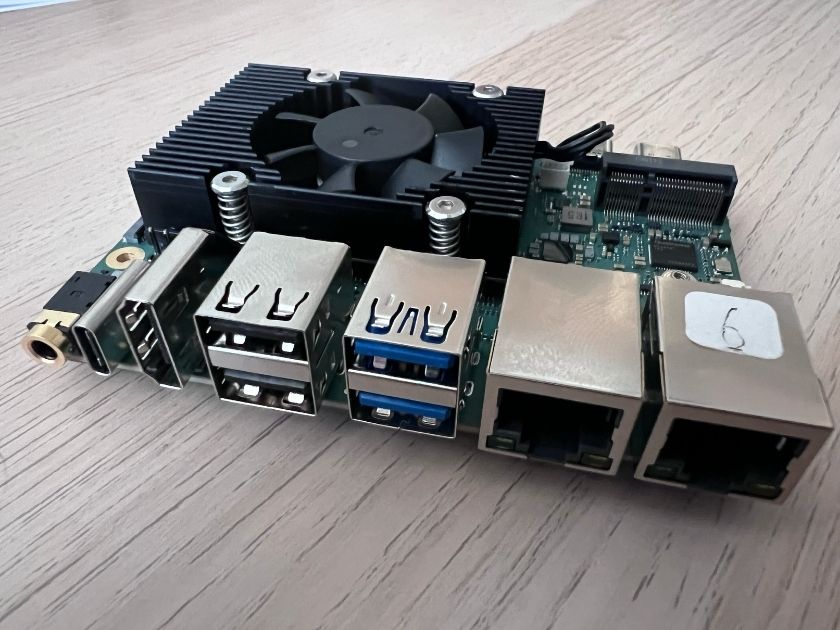
To get straight to the point, the Dragon Q8B is packing a laptop SoC in an SBC form-factor, which is great for performance, as the Snapdragon 8cx Gen 3 SoC still has plenty in the tank (4x Cortex-X1 cores at 3GHz, and 4x Cortex-A78, at 2.4GHz), and packs one hell of a punch.
Radxa’s Qualcomm steam train seems to have no sign of stopping, and it’s great to see boards actually being launched in the current climate. Heck, they even announced they were working on consumer NAS products based on Qualcomm SoCs this week…
Where things get a little dicey for the Dragon Q8B is software support, annoyingly. The Snapdragon SoC was used primarily for Windows on Arm laptops, and Linux support can be patchy and hacky, but we got there in the end with the help of Armbian (shout out to Meco from sbcwiki.com for working on that!) and after my initial testing, Radxa had an Ubuntu 26 build available.
Before we get to the meaty part of the review, let’s quickly confirm the specifications of the Radxa Dragon Q8B, as I think people will be pleasantly surprised.
Radxa Dragon Q8B Specifications
From speaking to others and seeing public results in places like the Geekbench Browser, we know there are 8, 16, and 32GB SKUs available, all of which offer the same I/O and features overall.
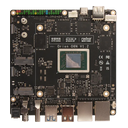
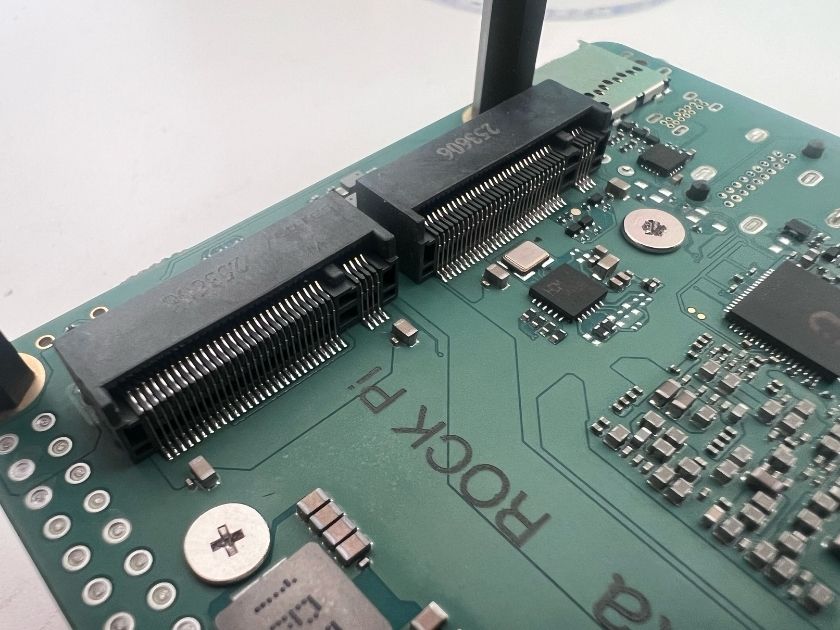
2x USB 3.2 Gen 2 Type-C connectors with DP Alt Mode is rather nice, and packed in a relatively small footprint is a lot of powerful hardware. You get 2×2.5GbE RJ45 ports, a further 2 USB 3.2 Gen 2 ports, this time in Type-A format, 2 M.2 M-Keys on the underside, and a UFS connector for a small, fast, replaceable storage option.

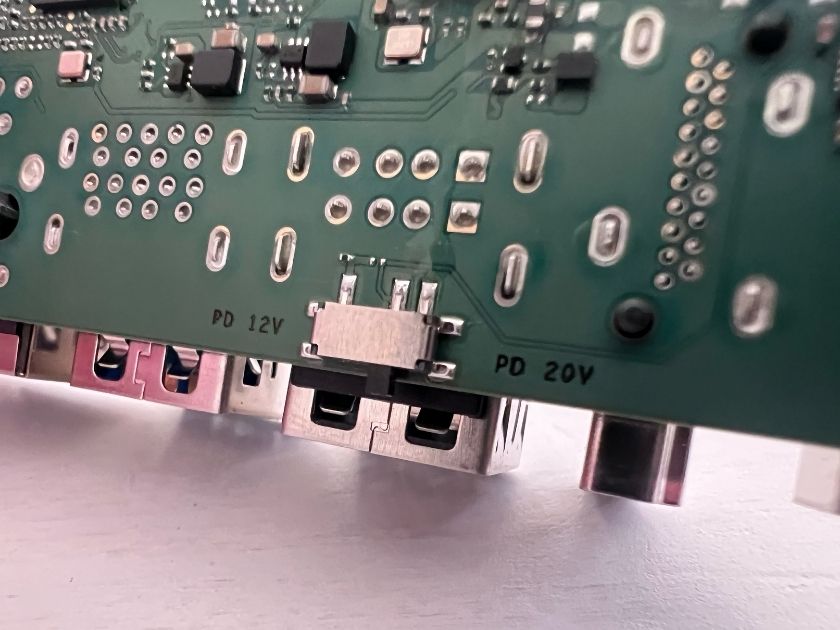
Not seen in this Radxa photo on the underside, is the switch to choose between 12V and 20V USB-PD for the input. You can see the pads for it above the USB 2.0 Type-A ports, along with the silkscreen text, but on the actual board, it looks like this.
Meet Today’s Competition
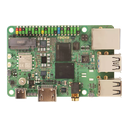
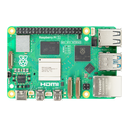
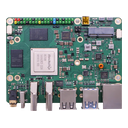
I’ve decided to keep it an (almost) all Radxa affair for testing and bring in the Dragon Q6A, the ROCK 5B+, CIX P1-powered Orion O6N, and for good luck, a Raspberry Pi 5.
I’m hoping they’ll cover all of the bases for comparison, but to quickly justify my choices, the Dragon Q6A is the less powerful sibling of the Q8B, the ROCK 5B+ has one of the most popular SBC SoCs in the Rockchip RK3588, the Orion O6N is one of the most powerful ARM SoCs available in boards like this, and it has 32GB of RAM. The Raspberry Pi 5 gets a spot at the table because, well, everyone knows what it is, and given the pricing at the moment, people are definitely looking alternatives more and more. Do we approve?
Setup and the State of the Software
At the time of launch we have an Ubuntu 26 build from Radxa directly, and it’s fair to say things are still moving quickly, the builds were being updated even as I was testing.though it only comes in a desktop flavour. Armbian will have you covered if you’d prefer Debian, or server/CLI builds, though it’s not an officially supported OS just yet and you’ll need to build it yourself. All of my testing was done on a Debian 13 build of Armbian, and I cross-checked against Ubuntu and saw nothing out of the ordinary. A week after completing my testing, Radxa also released Debian 13 (Trixie) builds with Gnome/KDE options, and these booted just fine.
It’s not a particularly new SoC, however, and I know others have alternatives like Arch Linux running already, so I imagine we’ll see other distros become available shortly, and once Armbian (hopefully) gets official support, you’ll see a range of pre-installed software options too.
I suppose I do also have to mention that Windows 11’s Windows on ARM (WoA) will work out of the box with this, and this is really what the Qualcomm SoC sees as its bread and butter given than this chip found itself in a range of Windows laptops a few years ago when it came onto the scene. Performance is around what you’d expect from laptops with the same chip, though I imagine Meco on sbcwiki will be checking out Windows and gaming in a little more details, so keep an eye out for his piece too.

Will you have as much support for things as the Raspberry Pi? No, but then again nearly no SBC has it. If you’ve dealt with any of the alternatives before, you’ll have no problem here, and with Armbian, you can be up and running incredibly quickly, with an interface and base that you’re used to if you’ve used it before.
It’s nice hardware and it’s been around for a few years now (the SoC that is), we just have to hope that we can get the most out of it. There’s mainline Linux support for the chip, so let’s see?
What’s Not Quite Working (Yet)
I should quickly mention a few things to look out for if Radxa announce, and release this board for sale shortly after. As of Friday 29th May (2026) the Radxa OS builds do not have functioning RJ45. At the time of testing, only a build of Arch Linux that Sophon at Radxa kindly supplied me had the Qualcomm Ethernet ports in a functioning state, but that means that it shouldn’t be too long before we see things ported over to the Radxa OS builds.
The Dragon Q8B also unearthed something in my Linpack testing in the sense that it found a way to draw 50W, almost cook itself, and then hard crash each time. After some digging, I realised that I’d been using the more intensive OpenBLAS algorithm, and I build for all of the optimisations I can detect for the SoC. This has worked fine on over 100 SBCs, but none of those had been laptop SoCs in a small SBC layout. This meant that the PMICs had a really, really bad time, cooked (not in a good way) and gave up after 10s each time.
The BIOS currently has the USB ports disabled due to bugs, so the only way to access the BIOS options is via serial. Perhaps Radxa already have an update that handles that that I couldn’t get my hands on in time.
Finally, I was unable to get UFS to be detected on any of the OS builds I tested, and whilst Radxa list UFS and normal OS builds for download on their GitHub repository for the Q8B, it’s not detected when you try to boot from it and it throws you into the BIOS.
Again, I want to stress that this is nitpicking, this is not meant to be an in-depth 6 month in review, but I thought it may be interesting for some to see what the cycle is like during these types of launches/announcements.
Benchmark Methodology
Into the heart of things we go, and let’s have a quick run down of how the testing is going to go down.
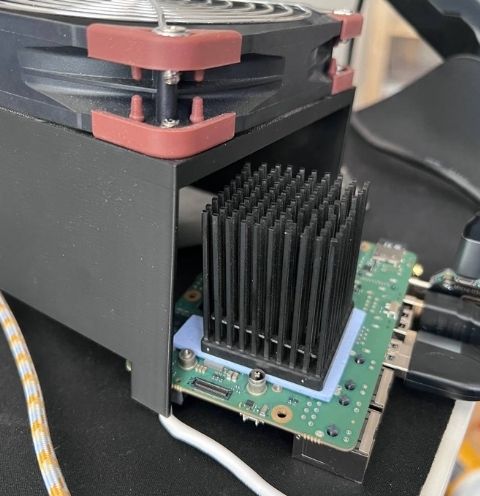
All testing was done over on sbc.compare in a controlled environment with everything set up for maximum performance. The performance CPU governor is in use, the stock cooler was blasting its fan at 100%, and a Noctua industrial fan was blowing across it for good measure too.
A few caveats, if I may. Ollama doesn’t really handle big.LITTLE setups very well, and it’s CPU-only, so take the LLM tests with a pinch of salt as always, though they give us a good enough rough idea. We also have some wildly different RAM configurations on show, and performance may vary slightly depending on your particular work loads, so bear that in mind.
Power was measured using a TC66C USB-C power monitor, with power being delivered by a 21V5A capable USB-C power supply to ensure we had enough juice to give this sneaky laptop in an SBC.
Radxa Dragon Q8B Benchmarks
We’ll kick off with the CPU-focused benchmarks (oh, I’m also using new graphs for this review, do we like? Do we hate? Please tell me in the comments..) and it’s mostly as you’d expect. The 12 cores of the CIX-powered Orion O6N give it an edge in multi-core workloads, but there’s not much in it. Single core workloads on the other hand are ahead by nearly 27% in Geekbench 6, and the pattern continues throughout. Nice.
CPU Performance
Geekbench 6
7-Zip Benchmark
High Performance Linpack
UnixBench
PassMark PerformanceTest
CPU Mining (cpuminer-multi)
Storage and I/O
What you’ll immediately see here is that the 4 lanes of PCIe Gen 3 connectivity given to one of the M.2 slots on the Q8B give it a massive advantage, and providing you’re lucky enough to have a drive laying around to make the most of that without bankrupting you right now, you’re going to have a good time.
UFS as an alternative is a great option (on the Orion O6N this is connected via a USB bridge, hence the not so great performance for comparison) but the modules aren’t as readily available, and larger capacities can also be quite expensive in this day and age. Its connector is also hidden by 1 of the 2 M.2 slots if a 2280 NVMe is installed in the Gen 3 x2 slot, so if both are in use, they could get a little toasty. Well, when support is added for them that is.
Storage Performance (FIO)
Graphics and the Adreno GPU
I was unable to get the Q6A to play ball in time to publish this initially, though in the coming week or so I’ll be going back to add that. Overall, however, the story is much the same. If you compare these boards over on sbc.compare you’ll be able to see the drivers that are in use, because it’s a bit of a mixed bag between what Armbian bundle, and OS vendors themselves. GLMark2 goes the way of the CIX P1, but vkmark has the Q8B absolutely trouncing the competition.
GLMark2 (OpenGL ES)
VKMark (Vulkan)
Power Consumption and Thermals
We already know about the CIX P1’s bruteforce approach to power consumption, as in, just throw everything you have at the SoC and keep it running as fast as you can.
This works well for the Dragon Q8B because it’s much faster in nearly every test, and does it whilst consuming less power across fewer CPU cores. No Linpack power results here because of the earlier mentioned instability. I could get it to run on the 4 X1 cores, but I wasn’t going to add that data to the database and confuse things.
Power Consumption
Radxa Dragon Q8B Pricing and Availability
OK, so we’ve been through all of the data, we’ve looked at everything, but given the announcement was today, where can we buy one and how much will they cost?
So far I could only find them listed on Arace, and their UI doesn’t really let you click around and see the prices of each SKU, just the default one, but in the page source we have all of the data, and it’s a mixed bag.
| Variant | SKU | Price (USD) |
|---|---|---|
| Radxa Dragon Q8B 4GB | RS782-D4S32W0 | $149.00 |
| Radxa Dragon Q8B 8GB | RS782-D8S32W0 | $209.00 |
| Radxa Dragon Q8B 16GB | RS782-D16S32W0 | $329.00 |
| Radxa Dragon Q8B 32GB | RS782-D32S32W0 | $569.00 |
| Heatsink for Radxa Dragon Q8B | AE038 | $3.90 |
The heatsink pricing is good, though I’d probably have liked for it to be included in the price of the boards themselves and at least bundled together, if not pre-installed. You’re going to want cooling for this, and not everyone’s going to have something that fits perfectly, if at all.
Arace were also doing their usual “pay $5 to get a $50 coupon” type of deal, though at the time of writing/publishing, this was sold out already. I’m not sure if they’ve actually gone on sale yet, or if they did sell out quickly, but if you’re lucky enough to get your hands on one then the middle-ground models with $50 off don’t look like too bad value given the current climate. Heck, it’s great value actually when you look at the performance you’re getting.
The question will just be when they’re going to be available, as there doesn’t seem to be a date given yet, and these things tend to be announced a month or so (at least) before they’re made available, and will all SKUs be available?
Closing Thoughts
Even at this early stage, the Radxa Dragon Q8B impresses and takes the number 1 spot in nearly every test on sbc.compare. With the pricing we now have, it’s a pretty damn compelling purchase, especially if you’re going to be able to get the most out of all of the hardware. Dual 2.5GbE RJ45, powerful X1/A78 cores, and plenty of high speed I/O make it a great option for routers, a NAS, a teeny browsing machine, or even some light gaming.
Radxa are drinking all of the Qualcomm Kool-Aid, and the releases are coming thick and fast (there was also a Radxa Dragon Q5E announced today, though sadly I don’t have one to show results for yet!)
I can’t complain about what’s not working just yet, as it was an early sample and development is still ongoing, but honestly? It’s not far off. I think in the next release or two of their builds, we’ll have full functionality in Radxa OS, and Armbian won’t be far behind. Powerful hardware, software we’re all used to? What’s not to (potentially) love.
What are you guys thinking about the wave of Qualcomm-based SBC releases, we saw the Arduino UNO Q towards the end of last year on the lower-end (in terms of raw performance at least, it wasn’t about that) and Radxa seem to be doing their best to flaunt everything Qualcomm has to offer, be it SBCs, NAS, you name it, Radxa will probably try and launch it..
If you’ve made it this far, thank you, and congratulations, I’ll go back to my hole now. Bye!
Related Posts

7 comments
Windows works? I knows that the SOC is windows friendly, but have you used this SBC long enough to say the entire board is compatible and there are no odd windows related bugs here or there?
I didn’t try Windows at all yet, no. I imagine it will come with the usual driver annoyances, so sadly I can’t really say how things are :D Radxa’s Discord/forums may have more information!
So glad to see an SBC with proper USB-C ports.
There’s currently nothing else online about this board (besides a single youtube video discussing the product page), so I eagerly await any update or long-term review you have for this board.
Indeed! If you have any specific questions about it, do let me know, and I’ll do my best.. I haven’t been using it as much as I’d like, though I intend to throw a bit more at it in the future..
Hi, all your benchmark graphs show “Q6A”, not “Q8B”, so are they Q8B with wrong label, or Q6A in the wrong article? Thanks for the good work, those boards are very very interesting
Now I reloaded and all the boards appeared! Before it was only Raspberry Pi 5 and Dragon Q6A… so please disregard my prev
No worries! Someone else actually contacted me about this, I think there was some weird caching thing going on. I’m glad a refresh worked for you though!