You may have heard of the Raspberry Pi Compute Module 5, Compute Module 4, or even the Compute Module 3.. How about the Compute Module 0? If you didn’t read Jeff’s recent article on it, you’d be forgiven for not knowing about the Raspberry Pi CM0, as it’s a China-only offering that’s trickling into the West in small quantities via a handful of distributors.
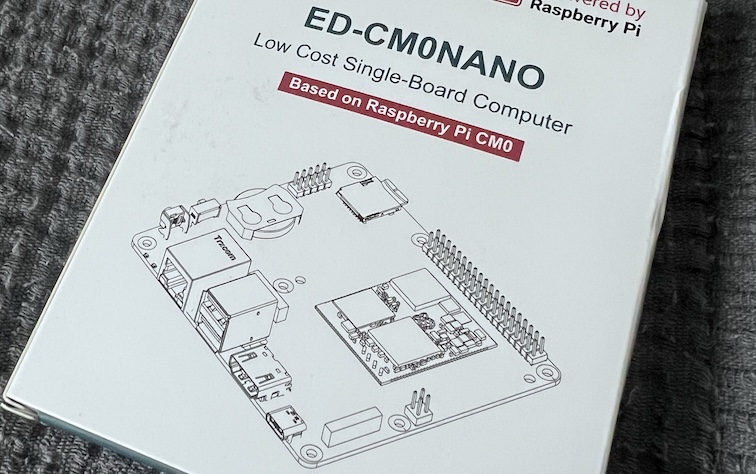
So that’s exactly where I looked, and hey, Mouser had stock coming in soon of the EDATEC CM0NANO carrier board. The crazy thing is that this was actually released back in September 2024 but given its specifications and target audience, it’s no surprise we didn’t hear too much about it on our side of the planet.
It’s mine now, partly out of curiosity, and partly because hey, it’s a little bit strange, and it will be a great addition to the collection.
Table of Contents
Raspberry Pi CM0: Quick Specs
- Processor / SoC: Broadcom BCM2710A1 (Quad-core Cortex-A53 @ 1GHz)
- RAM: 512MB LPDDR2 (stacked on the SoC as part of the overall RP3A0 System-in-Package)
- Storage: Lite (microSD) or 8GB/16GB eMMC
- Connectivity: Optional WiFi 4 / Bluetooth 5.0 (with BLE)
- Form Factor: Castellated SoM (39mm × 33mm)
- Target Market: Industrial integration, pick-and-place assembly
- Availability: China (standalone), Global (via EDATEC CM0NANO)
What is the Raspberry Pi CM0? And.. Why?
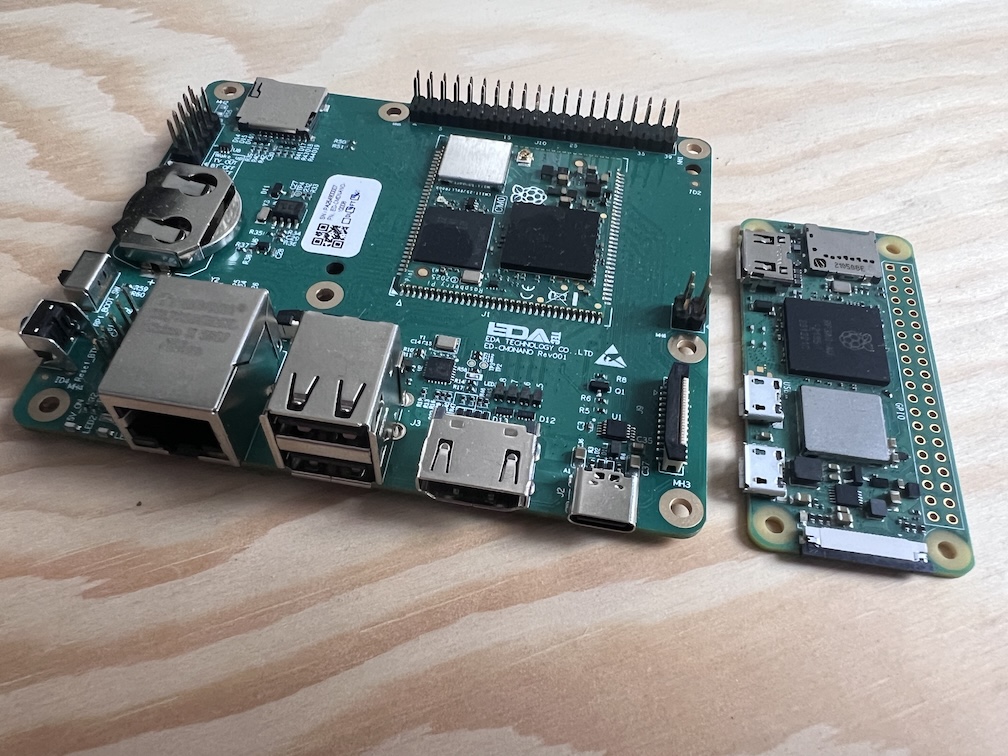
Sooo if you hadn’t noticed from the quick specs above, the Raspberry Pi CM0 is indeed a Raspberry Pi Zero 2 W cosplaying in a slightly different form-factor.
That form-factor is a 39x33mm compute module with castellated edges, designed to be picked, placed, and/or soldered directly onto carrier boards like the EDATEC CM0NANO we have here. This is a different approach to that used on Raspberry Pi’s CM3, CM4, and CM5 offerings, with the former in a DIMM-style format, and the latter 2 using male/female connectors to push and connect to a carrier board.
Realistically, however, these modules are going to be used in mostly commercial/industrial applications, though I’m super curious to see what they’re actually going into, if any of you know of products/systems in China that these are going into specifically, do let me know!
Finally, touching on the “Why?”, it seems that Raspberry Pi had some commitments in China to fulfil? Or they had enough demand to come up with something? I won’t dwell on it for too long but hey, it’s still kinda cool.
The EDATEC CM0NANO Carrier Board
Let’s be honest, the carrier board is the most interesting part of the package here, as all in all, the Compute Module 0 itself is a Raspberry Pi Zero 2 W at its heart.
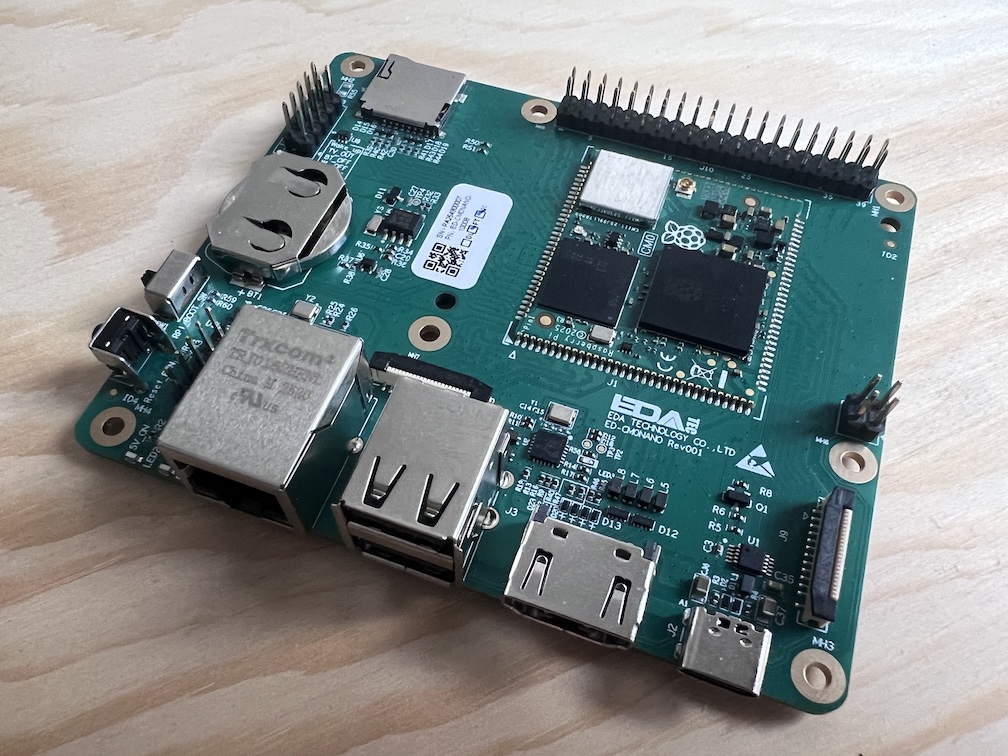
Annoyingly though, this carrier board gives us a lot of desirables. We get full-size HDMI (1.3a, up to 30Hz at 1080p), RJ45 Ethernet (albeit 100Mbit over a CoreChips SR9900A USB-to-Ethernet chip), USB-C for power and eMMC flashing (if you get a non-Lite model with eMMC), and a hardware watchdog. The latter being a neat tool that resets the system if the software fails – a critical piece of functionality where these are likely to be deployed.
On top of that, we’ve got 2x USB-A 2.0, CSI and DSI connectors for cameras and displays (these are separate, not combo-ports like those found on the Pi 5), a CR2032 RTC battery holder (mine came with a battery pre-installed), 40-Pin Raspberry Pi GPIO, along with PoE headers for connecting this up to a PoE power source.
It seems like a perfectly reasonable carrier board for this kind of product, with everything well thought out, enabling you to develop for the CM0, or even integrate directly. The addition of the DIP switch for flash/boot mode is nice too.
The 40-pin GPIO headers are fully Raspberry Pi compatible (duh) so if you wanted to use a HAT on here, you could, and the overall build quality is good. Nothing feels flimsy, and the layout seems well thought out.
Getting It Running
The CM0NANO comes with a somewhat recent version of Raspberry Pi OS pre-flashed onto the eMMC, which is nice, buuut I wanted to flash it again myself. That in itself was interesting, because I chose to ignore their documentation and see if I could use Raspberry Pi Imager with the Pi Zero 2 W selected. Can confirm, it does not work. This meant I had to grab the image link and download it directly before flashing it manually. You don’t get the nice options for customisation this way, and I had to re-familiarise myself with enabling ssh and setting up the default user on first boot but we got there in the end.

The big bonus on the CM0NANO in terms of flashing though is that you get a DIP switch on the board to either have it in flash or boot mode. No need to bridge pins with jumpers, and no hassle.
In all, if you go with their out of the box install, you can be online within minutes. If you flash it again (the correct way, as per their instructions) then you’re looking at about 10-15 minutes of setup time.
Pricing & Where to Buy
Now, I know this is quite a niche (read: potentially useless?) article/review overall, as availability is going to be limited in general, but as we see with the CM0NANO, you do have some options.
I purchased mine from Mouser, though DigiKey do also have them. For the module itself, you’ll need to deal directly with Edatec, though they do also seem to have a Taobao store if you want to go through agents or similar. On Taobao the same module we have here (WiFi + 8GB eMMC) comes out at around $30 USD, with 16GB of eMMC running you an extra $2.50~. If you forego WiFi and eMMC, it’s around $22.
That said, stock will be fairly restricted as LPDDR2 is no longer being produced, and Raspberry Pi have a limited supply that they want to use to maintain supply of the Raspberry Pi Zero 2 W (thanks to Jeff Geerling for asking the question about this!) so if you want one easily, you’re going to need to pay the premium of around $60 USD + taxes/shipping from either Mouser/Digikey).
Performance & Benchmarks
This will likely be the least interesting section if you’ve ever looked at the Raspberry Pi Zero 2 W, but we’re going to do it anyway..
All of the data you see below is taken from the Raspberry Pi CM0 page on sbc.compare so if you want to check it out against 100+ other SBCs instead of the Zero 2 W and Pi 5 I’ve chosen here, head over there and compare to your heart’s content. There are also some test results only available on specific boards that I’ve not included in this comparison so do go and check the page(s) above out for the full picture!
To quickly cover the test setup before we get into things, I have a big ol’ heatsink (actually, the one I took off the Dickson Industries passive Pi 4 case I reviewed years ago) with an industrial Noctua fan mounted above it to prevent any thermal throttling, a TC66 USB-C power meter for power monitoring, and the latest available Raspberry Pi OS at the time of testing. Let’s do this.
CPU Performance
No surprises here if you’ve ever looked at Raspberry Pi Zero 2 W numbers. The CM0 is the same silicon running at the same clocks so you’re getting the same performance, give or take. I’ve included the Pi 5 in these comparisons purely for scale, but obviously a Cortex-A76 at 2.4GHz is going to absolutely demolish a Cortex-A53 at 1GHz. That’s not the point here though, the point is confirming that the CM0 performs as you’d expect it to, and it does.
7-Zip Benchmark
UnixBench
PassMark PerformanceTest
CPU Mining (cpuminer-multi)
Storage Performance
Storage Performance (FIO)
I touched on it earlier, and yeah, the eMMC performance isn’t great, but it’s an option, and one many will likely want. You have the usual issue of if the soldered eMMC fails, then you have to throw the entire thing out, and if the module itself is soldered onto another board, then you have to either replace the whole thing, or desolder the module and throw on a new one.
Power & Thermals
As you’d expect from what is effectively a Zero 2 W, the CM0 is a very light sipper. It’s not going to stress the USB-C power delivery on the CM0NANO and you’re unlikely to need any active cooling for most
use cases. The BCM2710A1 simply doesn’t have the grunt to generate any meaningful heat, which is partly the appeal for embedded applications where you can’t exactly bolt a Noctua to the side of whatever product this ends up inside.
Power Consumption
Networking
iPerf3 Network Performance
At 100Mbit, the CM0’s Ethernet connection isn’t going to break any speed records, though it’s functional.
When it comes to WiFi, the Compute Module 0 gets an IPEX-1 connector for an antenna to be added. This makes sense given these are likely to be embedded on boards that will be thrown in cases, so a PCB antenna like the Zero 2 W would be a bit naff.
Conclusion: Collector’s Item or Practical Tool?
So let’s circle back to the question above… At its core (hehe?), this is Raspberry Pi Zero 2 W silicon in a form factor designed for commercial integration. The castellated edges and the target market of pick-and-place assembly lines tell you everything you need to know about who this was made for.
For industrial builders in China who need a cheap, small Linux computer to solder directly onto their own carrier boards, the CM0 makes perfect sense. It’s a known quantity running known software, and Raspberry Pi’s track record for long-term availability (supply chain hiccups aside) is a genuine selling point in that space.
For the rest of us? It’s a bit of an oddity, and I say that with genuine affection. There’s nothing here that a Raspberry Pi Zero 2 W can’t do (aside from the separate DSI connector and eMMC option on the CM0NANO), and the Zero 2 W is both easier to get and cheaper. If you need a compute module form factor with some actual horsepower behind it, the Compute Module 5 is where you should be looking.
That said, the EDATEC CM0NANO carrier board is a surprisingly well thought out little thing. Full-size HDMI, Ethernet, PoE headers, a hardware watchdog, and the DIP switch for boot/flash mode all make it a decent development platform if you’re genuinely building something around the CM0. You’re paying a premium for the privilege of getting one outside of China, but if you’re curious or have a specific use case in mind, it’s a reasonable way to get your hands on the hardware.
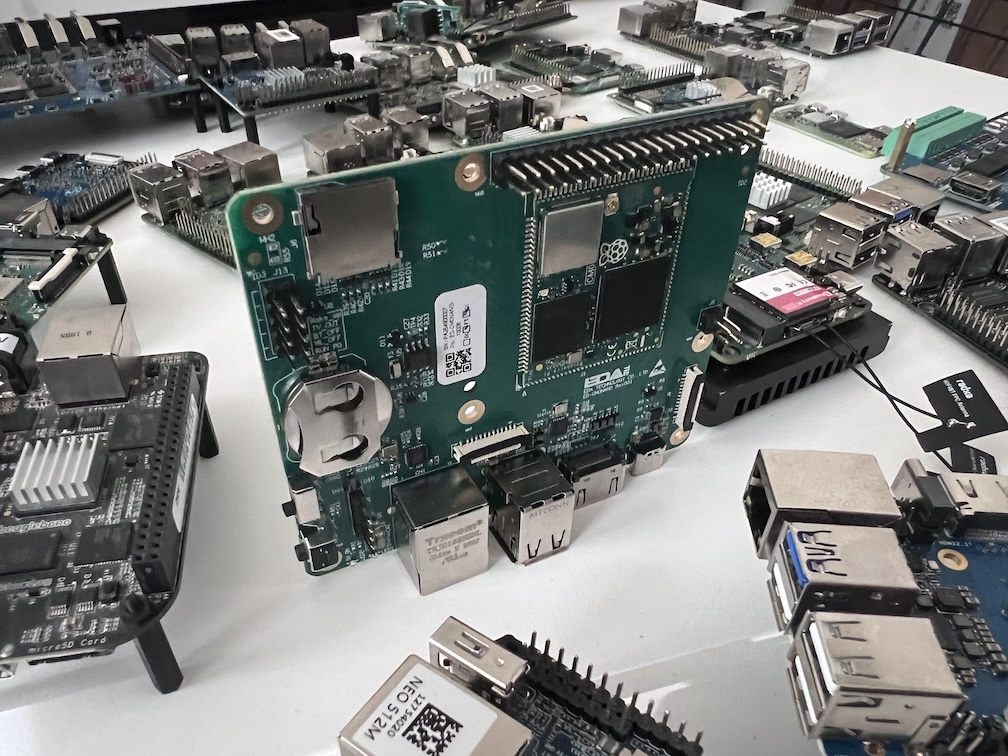
Honestly though, for most people reading this, the CM0 is going to be a collector’s piece. A little footnote in Raspberry Pi’s product history that most of the community will never encounter, and that’s fine. It’s now sitting on my shelf next to boards that are probably more useful, but then again, where’s the fun in only owning useful things? I may have a problem.
If you want to see how the CM0 stacks up against the Zero 2 W and 100+ other SBCs, head over to sbc.compare and have a poke around. Oh, and if you’re using one of these, please do tell me what it’s being used for!
